Contractor Estimating App: How to Quote and Close On-Site in 2026
September 23, 2026 · 14 min read
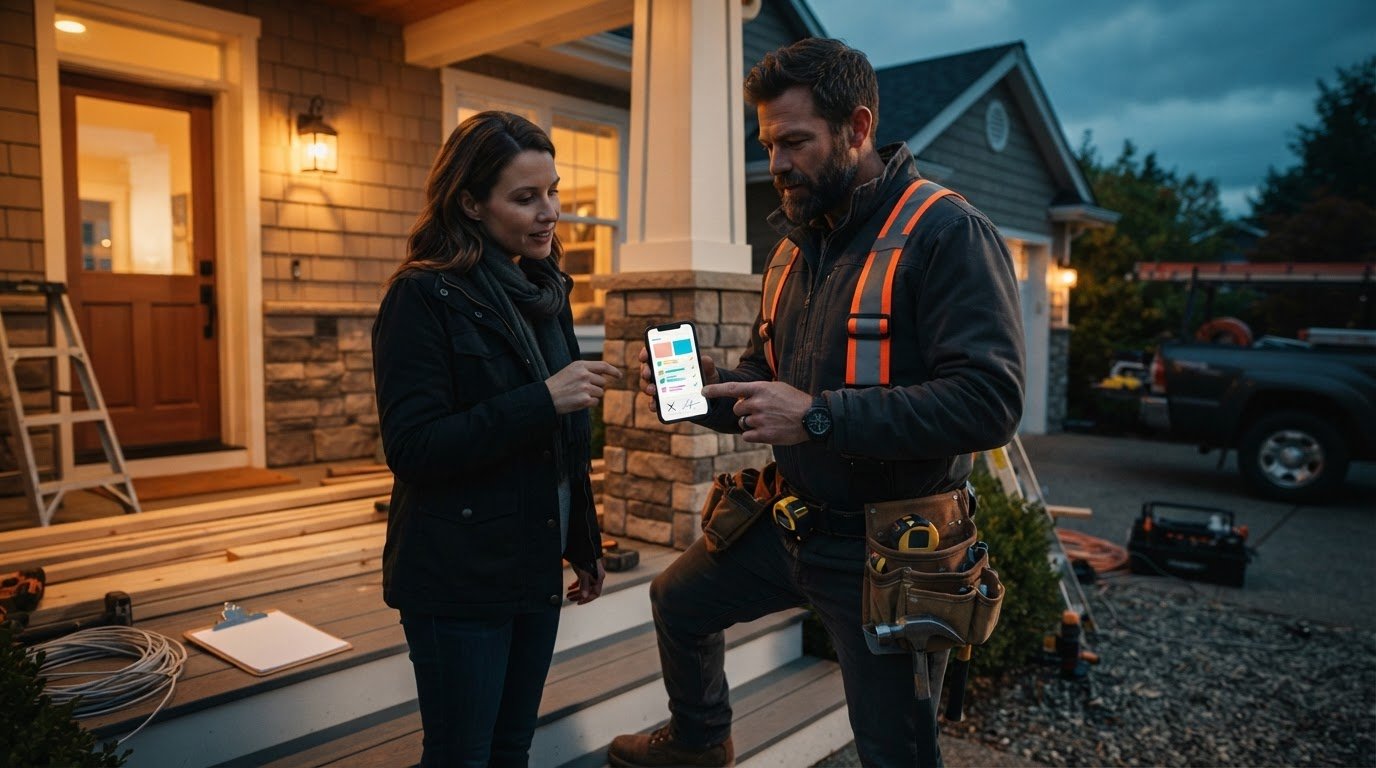
Driveway bidding wins jobs. Typing bids on a desktop computer at nine o'clock at night burns your personal time and bleeds profit. When you spend two or three hours every evening piecing together spreadsheets, faster competitors beat you to the punch, delivering numbers before you even wash the drywall dust off your hands. You don't need a clunky office setup to produce accurate proposals; you need a field-tested contractor estimating app right on your phone that prices work while your boots are still on the ground.
You know the grind of rushing late-night paperwork, second-guessing labor hours, and missing material items just to get a bid out the door. Learn how modern mobile estimating apps turn job-site walkthroughs into signed contracts before leaving the driveway. We will break down the exact on-site workflow to build detailed line-item estimates in five minutes, capture homeowner signatures on the spot, and take back your nights for good.
Key Takeaways
- Delivering quotes on site secures contracts immediately before homeowners start shopping numbers to competitors.
- A dedicated contractor estimating app replaces slow manual typing with voice dictation and photo logging built for rough work environments.
- Ditching heavy enterprise construction software for focused mobile quoting eliminates administrative bloat and keeps bids moving.
- Documenting job components during the walkthrough stops you from underestimating labor or forgetting expensive material line items.
- Collecting customer signatures directly on their phone before leaving the driveway wipes out unpaid clerical work on nights and weekends.
Why Leaving the Driveway Without a Quote Costs You Jobs
The moment your truck pulls away from the curb without a signed contract, your closing rate plummets. Homeowners don't evaluate your craft based on the tools in your truck bed; they judge your reliability by how fast you deliver clear numbers. When you promise to email a proposal over the weekend, the client's initial excitement cools. They get back to their day, doubt creeps in, and they start calling three more trades off search listings.
The Steep Cost of Late-Night Desktop Bidding
Pencil marks on cardboard scraps and half-typed phone notes don't hold up after an eight-hour shift. Sit down at a desk exhausted at 8:00 PM, and details get blurry. Did that subpanel need twenty feet of conduit or forty? Did the homeowner want premium composite decking or standard pressure-treated lumber?
Postponing a formal cost estimate until nightfall creates real operational leaks:
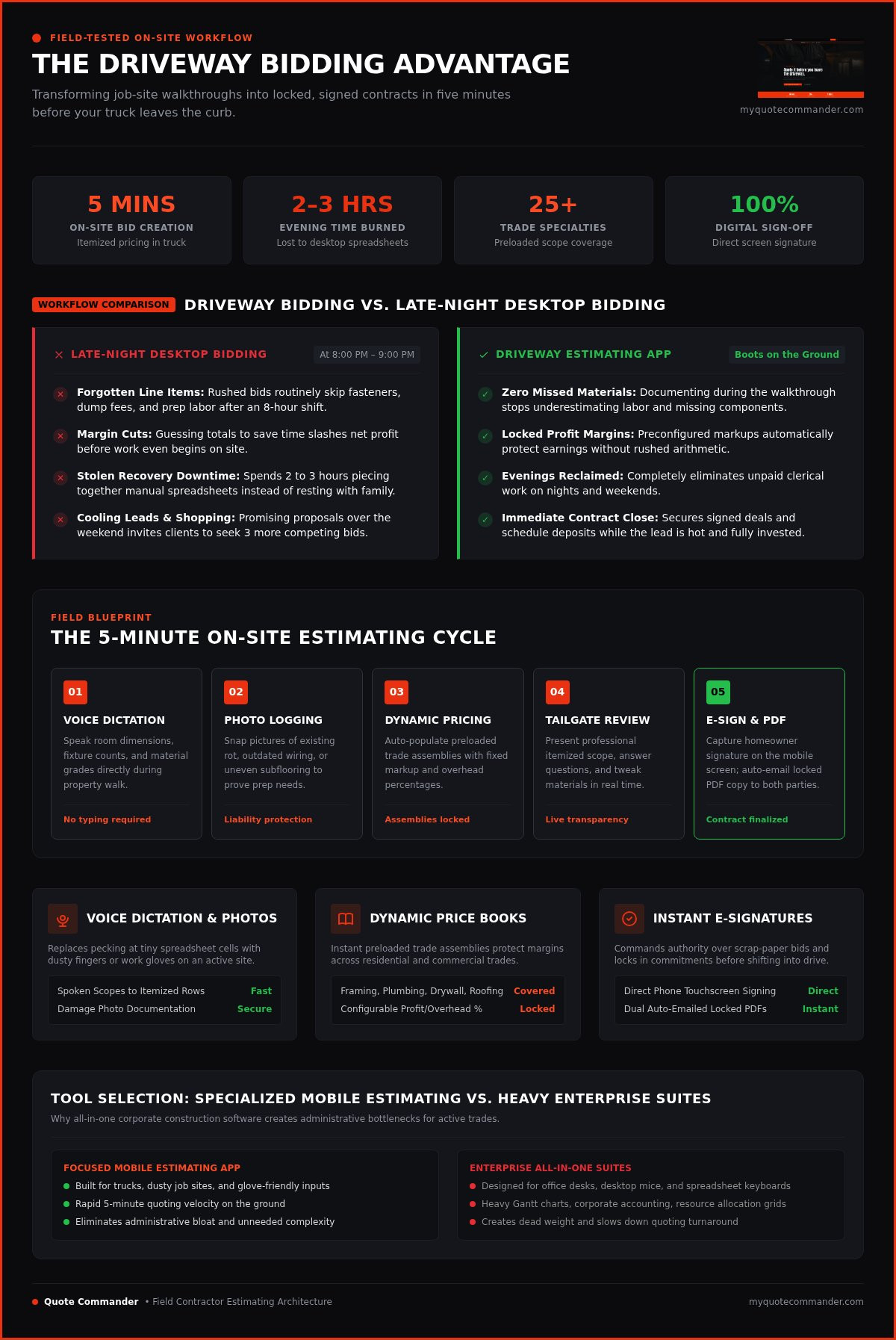
- Forgotten line items: Rushed bids routinely skip fasteners, dump fees, and prep labor.
- Margin cuts: Guessing totals to save time slashes your net profit before work begins.
- Stolen downtime: Typing out scopes on a desktop robs you of recovery time with your family.
Unpaid clerical work isn't a badge of honor. It's friction that drains your energy and drags down your bottom line.
The Driveway Advantage: Closing While the Lead Is Hot
Strike while the client is invested. During the walkthrough, the homeowner's focus is entirely on fixing their problem. Opening a dedicated contractor estimating app in your truck lets you assemble real figures right then and there.
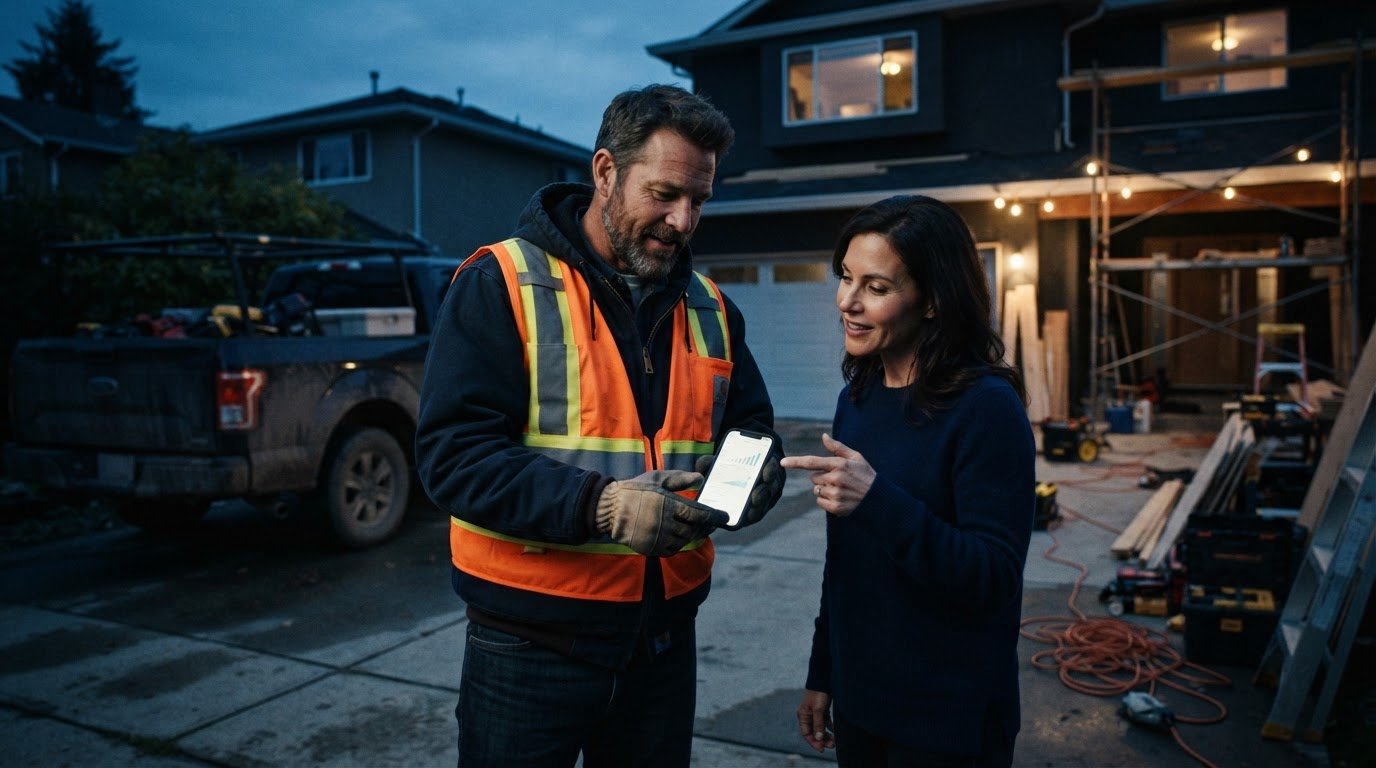
Handing over an itemized bid across the tailgate changes the dynamic. It shows organized competence. Walk through the scope line by line, address their budget questions in real time, and adjust materials right in front of them. When you eliminate the waiting game, you remove their need to hunt for other bids. You lock in the schedule, secure the deposit, and drive away with guaranteed work on your books.
Key Features to Look for in a Contractor Estimating App
Most estimating tools fail because they are designed for an office desk, not an active job site. You cannot pinch, zoom, and peck at tiny spreadsheet cells with dusty fingers or work gloves on. A field-ready contractor estimating app needs a rugged interface built around quick physical inputs, voice controls, and automated trade pricing that functions cleanly from the front seat of your truck.
Voice-to-Quote and Photo Documentation
Speaking your notes beats typing every single time. Instead of thumbing through tiny menus, you speak the room dimensions, fixture counts, and material grades as you walk the property. The software parses those words into clear, itemized rows. Pair that voice dictation with integrated site photos. Snapping clear pictures of existing rot, outdated wiring, or uneven subflooring protects you against pre-existing property damage while showing the client exactly why specific prep work is required.
Dynamic Price Books and Trade Customization
Guessing material costs on the fly kills margins. Your mobile setup should pull directly from an active, customizable price book that fits your exact specialty. Look for these essential pricing capabilities:
- Preloaded trade scopes: Instant assemblies for framing, plumbing rough-ins, drywall, or roofing prevent forgotten hardware and sundries.
- Configurable markups: Standardized profit and overhead percentages lock in automatically, so hasty bids never compromise your earnings.
- Trade-specific coverage: Broad support across twenty-five or more trade specialties ensures that remodeling generalists and single-trade subcontractors stay equally protected.
Instant Client-Facing Proposals and E-Signatures
Clean digital presentation closes deals. A scrap of paper makes you look like an amateur, but a structured digital proposal complete with itemized descriptions and job photos commands authority. Hand the phone over so the customer can review the scope and sign right on the screen. Using a dedicated platform like Quote Commander allows you to convert spoken notes into signed contracts before you ever shift into drive, emailing a locked PDF copy to both parties automatically.
Mobile Estimating Apps vs. Full Construction Software
Software salespeople love pushing all-in-one construction suites. They pitch complex Gantt charts, heavy resource allocation grids, and corporate accounting modules. For an independent trade pro or specialty subcontractor, that complexity is dead weight. When your primary bottleneck is quoting velocity, a dedicated contractor estimating app keeps your operation lean, agile, and focused on securing revenue.
The Problem with Heavyweight Construction ERPs
Enterprise platforms demand hours of desktop maintenance before you can price your first job. You end up sitting through mandatory software tutorials, configuring chart accounts, and mapping submenus that have nothing to do with your daily trade work. That steep learning curve causes most field crews to revolt and fall back on scrap paper.
Heavy enterprise suites create serious field friction:
- Endless non-billable setup: Onboarding takes weeks of training videos instead of ten minutes in the front seat of your truck.
- Inflated software overhead: You pay steep monthly platform fees for dozens of administrative tools you never touch.
- Mobile lag and lockups: Bulky platforms struggle on cellular connections, freezing up when you try to load complex project databases in basements or remote locations.
Why Dedicated Field Estimating Tools Win
A focused contractor estimating app strips away administrative distractions. It is built to do one critical job exceptionally well: generate accurate, profitable proposals on site before you leave the customer. Instead of clicking through dispatch calendars and long corporate menus, you open the tool and immediately start logging trade tasks.
Simplicity delivers immediate return on investment. You skip the three-week onboarding marathon, dial in your trade labor rates, and start closing deals on day one. Lightweight mobile code ensures the screen responds instantly to touch or voice, even when cellular service drops to a single bar on a rural driveway. Field speed puts cash in the bank; bloated enterprise software keeps you tied to an office chair long after the sun goes down.
Step-by-Step: Writing Accurate Bids on Site in Five Minutes
Generating a profitable bid does not require an evening locked in an office. When you follow a disciplined, five-minute sequence during the initial consultation, your walkthrough produces an airtight proposal before your engine turns over. Here is the exact on-site workflow that turns site visits into signed agreements.
Conducting the Voice and Visual Walkthrough
Begin at the job boundary and move inward systematically. Pull out your smartphone, open your contractor estimating app, and snap high-resolution photos of the critical work surfaces, service panels, subfloors, and access routes. Capture up to six distinct images that tell the full story of the work area.
While examining each area, speak the operational realities directly into your phone:
- Call out measurements: Speak square footages, linear runs, and structural heights clearly.
- Name required materials: State specific fixture models, pipe schedules, wire gauges, or board dimensions.
- Highlight hidden obstacles: Voice notes regarding tight attic clearances, cracked masonry, or crawlspace water lines.
Reviewing Line Items and Adjusting Margins
Step back to your truck cab to let the mobile software assemble your inputs. The platform translates your audio walkthrough into clean material rows and associated labor hours based on your preconfigured trade books. Scan the totals with a critical eye.
Double-check your quantities against the photos you just snapped. If the attic access requires hauling heavy drywall up three flights of stairs, bump the labor multiplier immediately. Verify that your overhead and profit percentages remain locked at your target margins before generating the client-facing presentation.
Presenting the Bid and Closing the Contract
Walk back to the front door with the completed proposal displayed on your phone or tablet. Review each line item directly with the client. Explain what is covered, show the corresponding photos, and confirm project timelines.
If the homeowner wants to adjust their investment, you don't need to head home to recalculate numbers. Swap out material options or remove an optional line item on the screen instantly. Hand them the screen, let them sign with their finger, and send the signed agreement directly to their inbox. Ready to transform your site visits? Start closing jobs faster today with Quote Commander.
Build Faster Estimates and Win More Jobs with Quote Commander
Most estimating tools force you to act like a data entry clerk instead of a trade professional. You spend hours adjusting digital spreadsheets, mapping line items, and wrestling with settings that make no sense on a real job site. As a dedicated contractor estimating app, Quote Commander cuts out administrative friction so you can quote quickly, preserve margins, and lock in signed agreements on site.
Built for Working Hands on Active Job Sites
Field conditions are messy, fast, and demanding. Quote Commander eliminates manual keyboard entry entirely, letting you dictate work details directly into the app while you walk the property. The software filters background site noise cleanly, parsing spoken walkthrough notes into fully structured line items with real labor hours and materials attached.
Pairing your voice notes with job imagery ensures complete project clarity:
- Photo-backed documentation: Attach up to six clear site photos directly to the estimate, linking visual conditions directly to specific scopes of work.
- Custom trade profiles: Over twenty-five built-in trade configurations handle framing, electrical, roofing, plumbing, painting, and remodeling assemblies right out of the box.
- Fully branded proposals: Turn spoken project observations into professional, polished customer estimates with zero manual desktop reformatting.
Turning Driveway Walkthroughs into Signed Revenue
Winning profitable jobs comes down to execution speed. When you leave a customer waiting days for an email, you force them to compare prices with your competitors. Quote Commander turns your vehicle into a closing office. Preloaded trade books ensure that every estimate reflects accurate, local labor costs and protects your required profit margins automatically.
Equipping your field leads with the platform standardizes your entire sales process across every call. Your team stops carrying loose paper notepads, guessing fixture costs, or miscalculating site quantities. You review the scope, hand over the screen for an on-site customer signature, and drive away with an approved work order in hand. Reclaim your personal evenings and close work on the spot using Quote Commander today.
Take Back Your Nights and Lock in Driveway Deals
Every hour spent tapping away at a home office desk after dark is an hour stolen from your family and your rest. Waiting days to send an estimate doesn't just create administrative burnout; it gives your prospects time to shop your scope to whoever picks up the phone next. The tradesmen who win the best, most profitable jobs in 2026 are the ones who put numbers in front of the homeowner while the initial handshake is still fresh.
Adopting a purpose-built contractor estimating app transforms your entire daily routine. By converting spoken walkthrough notes and site photos into accurate line items, you can walk through the figures, capture an electronic signature on the spot, and drive away with guaranteed work. Stop letting non-billable paperwork run your life. Start your free trial with Quote Commander and turn your next site visit into a closed deal before you even leave the driveway.
Frequently Asked Questions
Can I use a contractor estimating app without typing on site?
Yes, modern tools use voice dictation so you never have to pull off your work gloves to tap out text. You walk the job, narrate measurements and materials out loud, and the system translates your speech into structured line items. This removes the friction of typing on dirty screens or juggling clipboards, letting you assemble a complete bid using only your voice and site photos.
How do estimating apps calculate material and labor costs accurately?
They calculate costs by applying preloaded trade rate assemblies and customizable price books directly to your project inputs. When you call out twenty linear feet of pipe or two squares of roofing, the software matches those quantities with your preset labor rates, material allowances, and markup percentages. This automation eliminates arithmetic mistakes and guarantees you never underprice work in a rush.
Is an on-site electronic signature legally binding for home improvement jobs?
Yes, electronic signatures captured on mobile devices carry the exact same legal weight as traditional pen-and-paper contracts. Federal and state digital signature laws validate touchscreen signatures once both parties agree to the terms. When a client signs the proposal on your phone or tablet, the app timestamps the agreement and generates an immutable record that protects your business before work begins.
Can I include job-site photos directly inside customer proposals?
Yes, you can snap and attach site photos directly to your digital proposal before handing it to the homeowner. Adding visual proof of damaged subflooring, cracked panels, or worn flashing shows clients why specific work is required. Integrating up to six photos into the line-item breakdown builds instant trust, eliminates scope confusion, and documents pre-existing conditions before your crew touches anything.
Will a mobile estimating app work for multiple specialty trades?
Yes, a purpose-built contractor estimating app supports multi-trade contractors by offering distinct profiles for electrical, plumbing, carpentry, roofing, and painting work. Remodelers and general builders switch between scopes seamlessly without configuring separate tools for each trade. Standard assemblies adjust dynamically, ensuring that every specialty retains its specific production rates, material lists, and required labor margins across diverse projects.
Do I need a desktop computer to finalize my estimates?
No, true mobile estimating tools handle the complete proposal lifecycle directly from your smartphone or tablet. You capture photos, dictate line items, verify numbers, and generate client-facing proposals while parked in the driveway. The software formats a clean digital contract and delivers a signed PDF copy straight to the customer's inbox, completely eliminating late-night administrative desk work.
How does an estimating app help protect profit margins on materials?
An estimating app locks in your target profit and overhead percentages automatically across every single line item. Instead of doing rough mental math in your head or slashing rates under customer pressure, the software applies your defined markups across all material and labor entries. If material prices fluctuate, updating your master price book once ensures every future on-site bid stays profitable.
Frequently Asked Questions
Yes, modern tools use voice dictation so you never have to pull off your work gloves to tap out text. You walk the job, narrate measurements and materials out loud, and the system translates your speech into structured line items. This removes the friction of typing on dirty screens or juggling clipboards, letting you assemble a complete bid using only your voice and site photos.
They calculate costs by applying preloaded trade rate assemblies and customizable price books directly to your project inputs. When you call out twenty linear feet of pipe or two squares of roofing, the software matches those quantities with your preset labor rates, material allowances, and markup percentages. This automation eliminates arithmetic mistakes and guarantees you never underprice work in a rush.
Yes, electronic signatures captured on mobile devices carry the exact same legal weight as traditional pen-and-paper contracts. Federal and state digital signature laws validate touchscreen signatures once both parties agree to the terms. When a client signs the proposal on your phone or tablet, the app timestamps the agreement and generates an immutable record that protects your business before work begins.
Yes, you can snap and attach site photos directly to your digital proposal before handing it to the homeowner. Adding visual proof of damaged subflooring, cracked panels, or worn flashing shows clients why specific work is required. Integrating up to six photos into the line-item breakdown builds instant trust, eliminates scope confusion, and documents pre-existing conditions before your crew touches anything.
Yes, a purpose-built contractor estimating app supports multi-trade contractors by offering distinct profiles for electrical, plumbing, carpentry, roofing, and painting work. Remodelers and general builders switch between scopes seamlessly without configuring separate tools for each trade. Standard assemblies adjust dynamically, ensuring that every specialty retains its specific production rates, material lists, and required labor margins across diverse projects.
No, true mobile estimating tools handle the complete proposal lifecycle directly from your smartphone or tablet. You capture photos, dictate line items, verify numbers, and generate client-facing proposals while parked in the driveway. The software formats a clean digital contract and delivers a signed PDF copy straight to the customer's inbox, completely eliminating late-night administrative desk work.
An estimating app locks in your target profit and overhead percentages automatically across every single line item. Instead of doing rough mental math in your head or slashing rates under customer pressure, the software applies your defined markups across all material and labor entries. If material prices fluctuate, updating your master price book once ensures every future on-site bid stays profitable.